
Step-by-step guide to migrate Veeam SQL Database to another server.
Before you begin: If your Veeam server running in VM you can take snapshot the VM incase if you want to revert back.
Step 1: Stop all running backup jobs, Copy jobs and replication and disable them
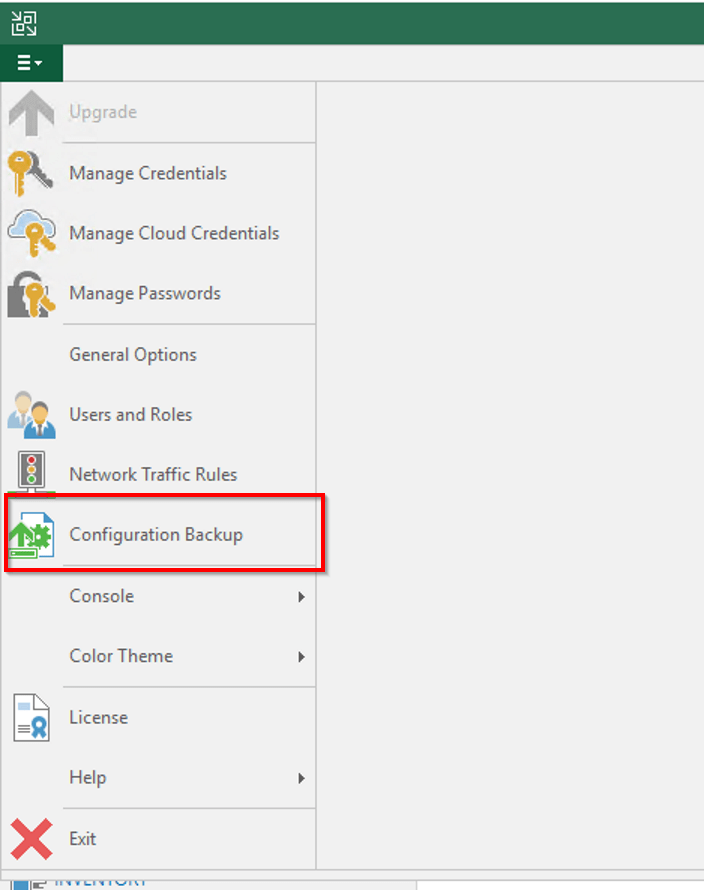
Step 2: Open Veaam Backup server ==> Options ==> Configuration Backup and take manual backup of configuration database
Enable ecryption for the configuration backup. Veeam requires that you encrypt the configuration backup if you have created at least one password in the Password Manager on the backup server.
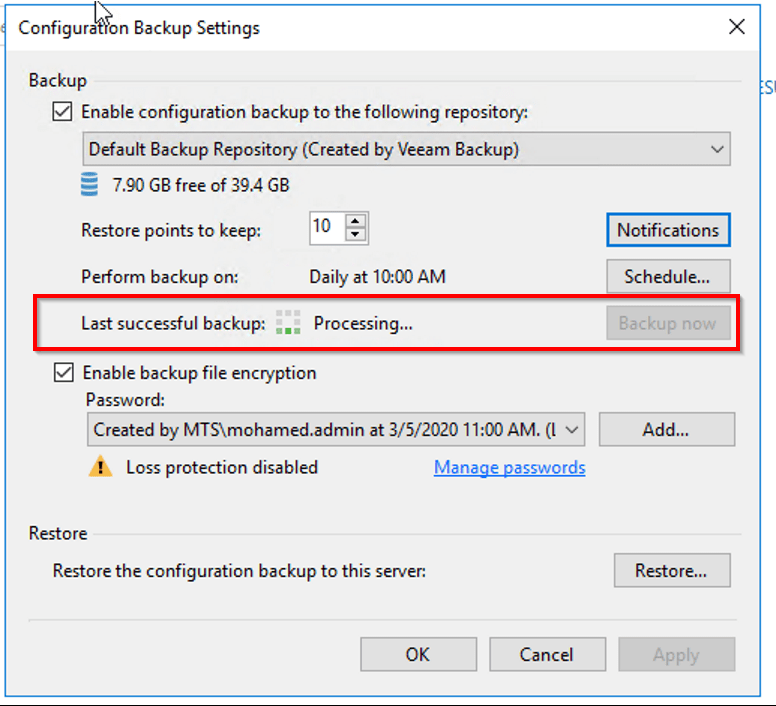
Once backup has been completed, close the Veeam Backup and Replication console.
Step 3: Create empty database in new SQL server and assign permission.

Step 4: Assign “sysadmin” permission to Veeam Backup server system account
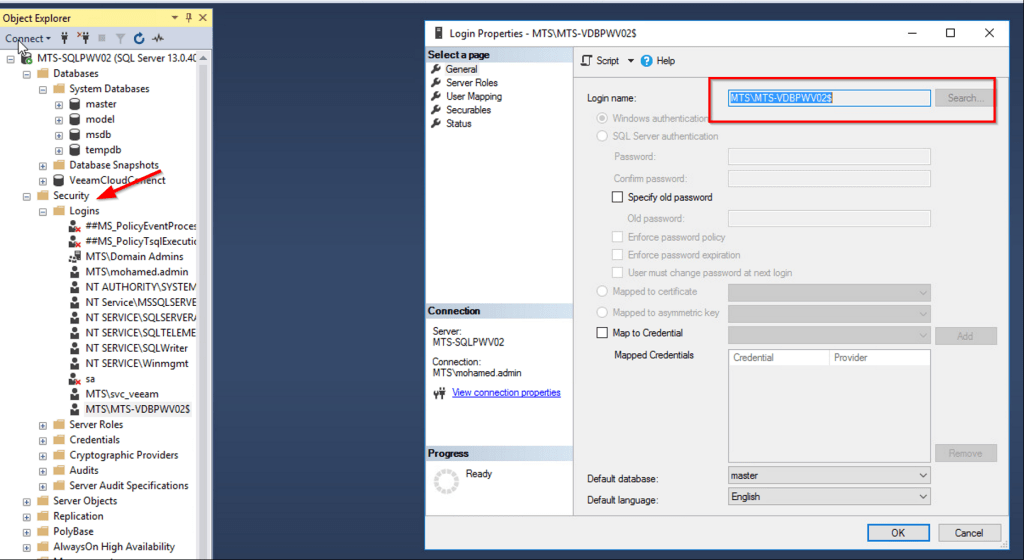
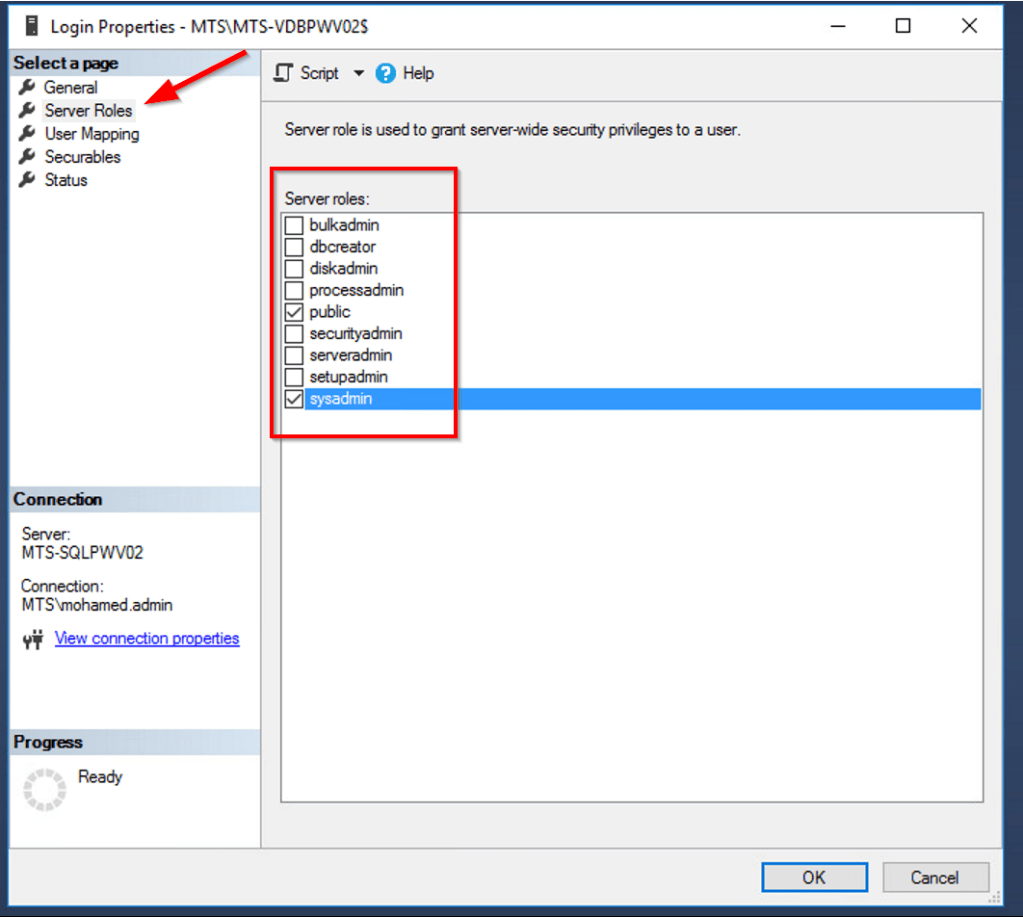
Step 5: Open Veeam.Backup.DB.Config utility to change database connection settings.
C:\Program Files\Common Files\Veeam\Backup and Replication\DBConfig\Veeam.Backup.DBConfig

Step 6: Enter Database Name and SQL Server name

Select “Yes“
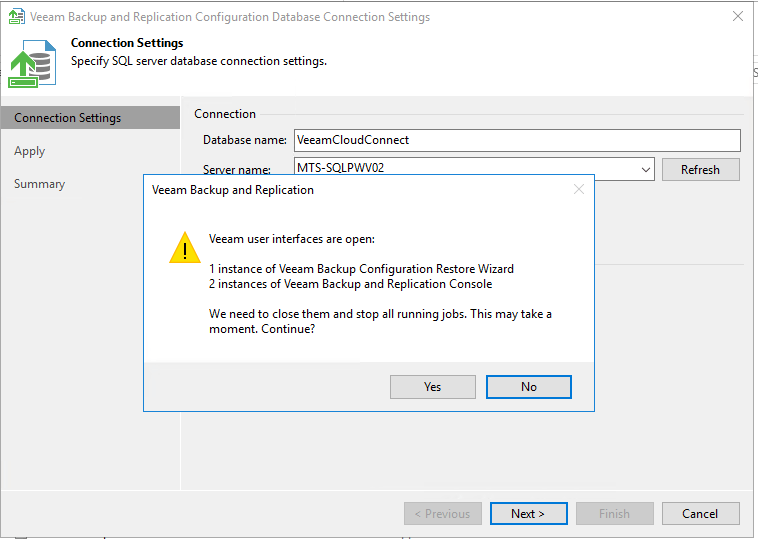
Wait some time to finish the process and click “Next” and “Finish“

Step 7: Restore the Configuration backup to new SQL Database
Open Configuration backup ==> Restore ==> Select Migrate

Step 8: Browse and Select the Configuration Database Backup file and Click Analyze
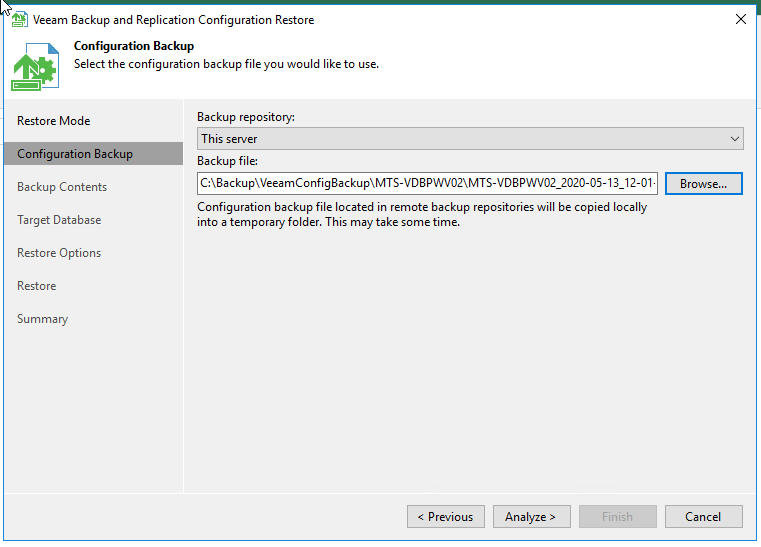
Click “Next” to proceed

Enter the Configuration backup password and click Validate
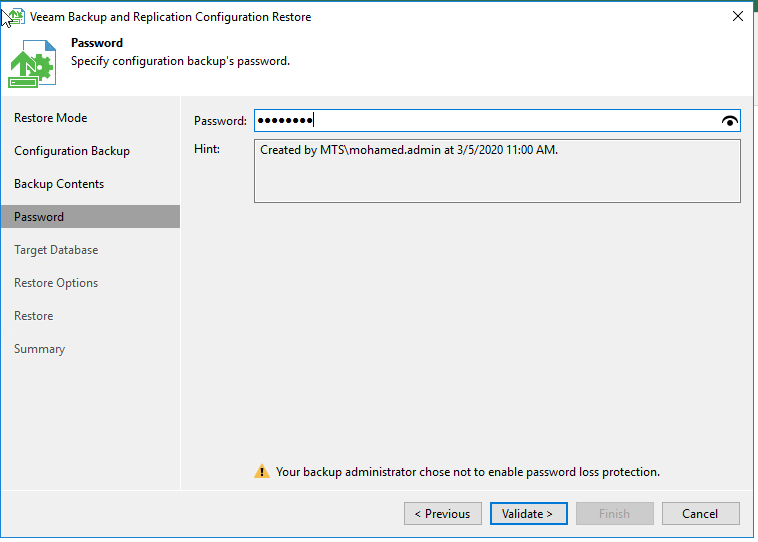
Step 9: Enter the Target Database name and SQL server name and Click Connect

Click “Yes” and “Connect” to proceed
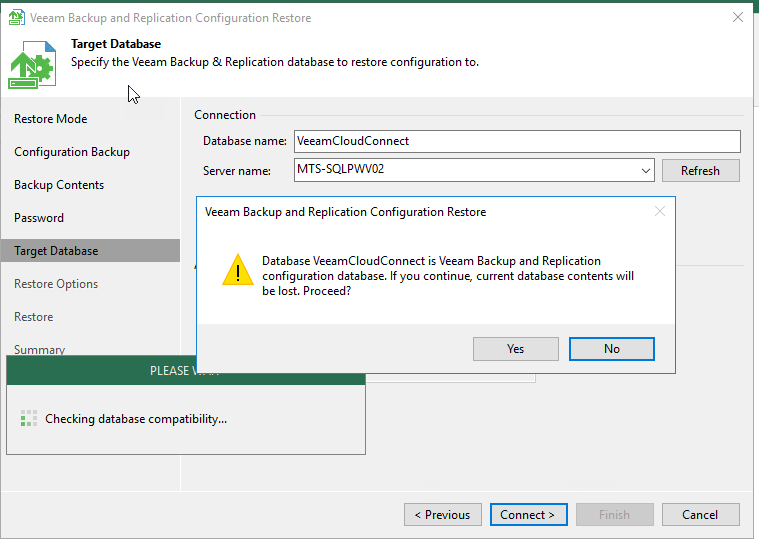
Click “Restore“

Now the Database restore will start and wait until it completes

Click Next and verify the credentials and update if any credentials has changed
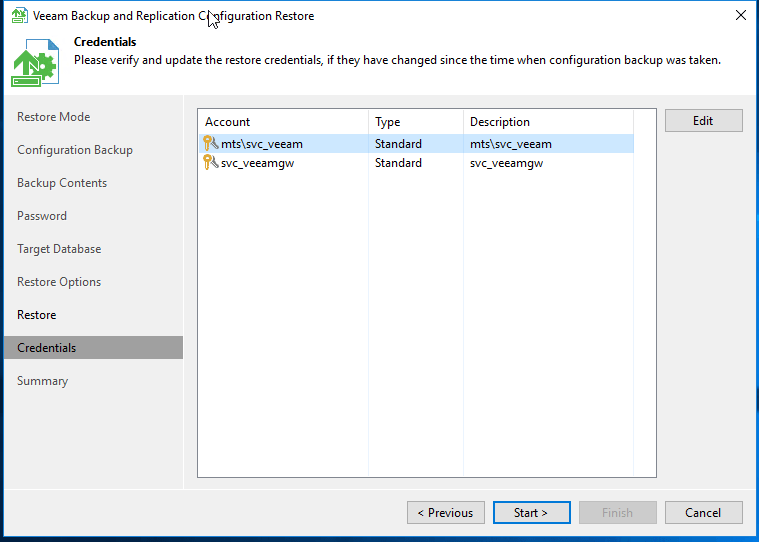
Migration has been completed successfully. Click Finish and launch Veeam Backup console

Post migration, Resume the Backup jobs, Copy jobs and replication jobs
Reschedule Veeam configuration database backup and make sure configuration backup encryption enabled
 Fix the Cloud