
I got this below error when I upgrade my XenDesktop Delivery Controller to 7.15
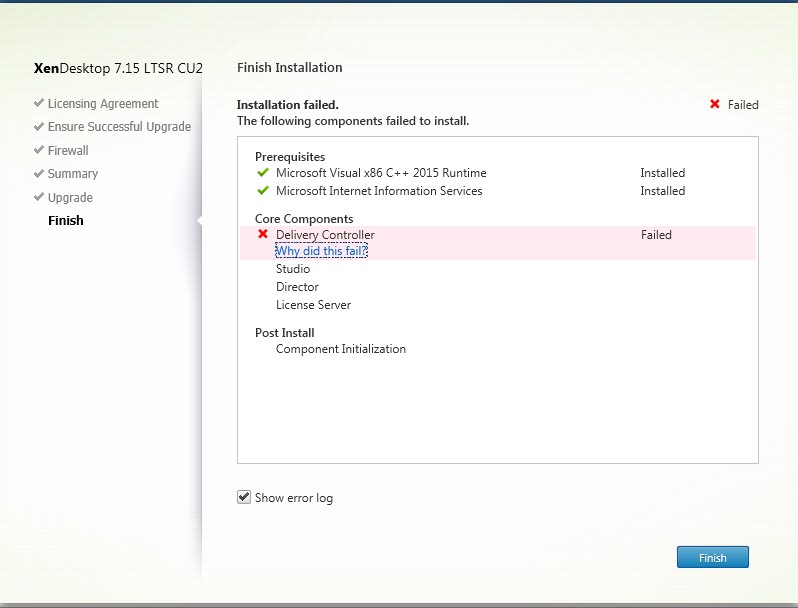
Error details:
“Removal of MSI Product ‘Broker_Service_x64.msi’ (‘{44107C52-0D4B-477C-8E2C-DEFA810F3482}’) failed with code ‘InstallsOURCEaBSENT’ (1612).”
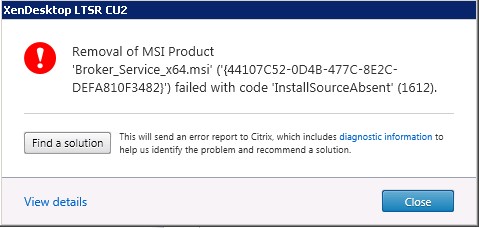
View more error details Error Id: XDMI:914A3195
Solution:
I have tried to remove the Broker_Service_x64.msi manually using the MsiExec command line with product code which shown on the error message.
msiexec /x {44107C52-0D4B-477C-8E2C-DEFA810F3482}
It prompt to insert the missing source file “Citrix.Common.Commands.Install_x64.msi”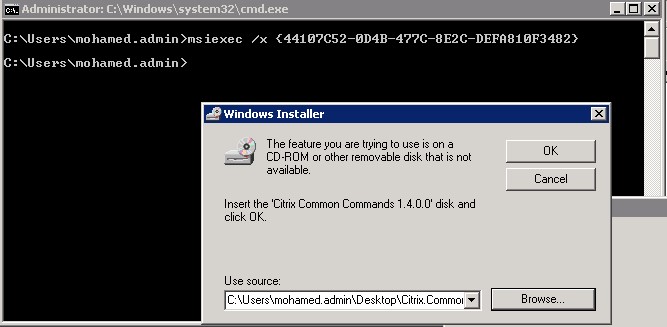
Download the missing MSI source file from below url and insert
https://github.com/arpheus/xd7publisher/blob/master/Citrix.Common.Commands.Install_x64.msi
Once the Broker_Service_x64.msi manually removed, Citrix Delivery controller upgrade has been successfully completed.
 Fix the Cloud