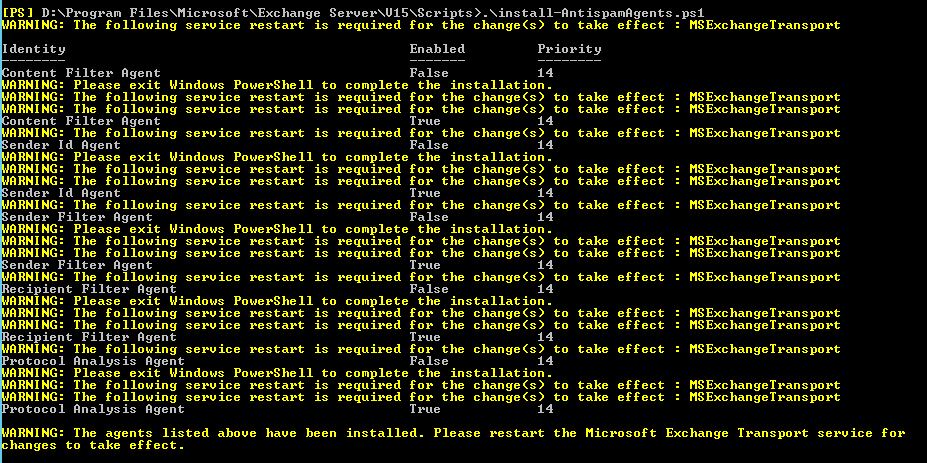
Installing AntiSpam Agents such as Recipient Filter Agent, Sender Filter Agent, Sender Id Agent, Content Filter Agent in Exchange server 2016 fails with below error
“[PS] D:\ExchangeDir\Scripts>.\install-AntispamAgents.ps1
A parameter cannot be found that matches parameter name ‘EscalationTeam’.
+ CategoryInfo : InvalidArgument: (:) [Install-TransportAgent],
ParameterBindingException
+ FullyQualifiedErrorId : NamedParameterNotFound,Install-TransportAgent
+ PSComputerName : ServerName.local”
Solution:
Open the Exchange installation directory and go to <Exchange dir.>\Scripts folder and find the Install-AntiSpamAgents.ps1 Script.
Edit the script file and remove the “-EscalationTeam “AntiSpam”” line highlighted in Red.
I have over 15+ years of experience in technology, focused on cloud computing, cybersecurity, and helping businesses simplify and strengthen their IT. I lead UBX Cloud India, where I work across strategy, operations, and delivery, mentoring teams and solving real world challenges for customers who cannot afford downtime, data loss, or security failures.
My foundation is deeply technical and built in real production environments. Over time, I progressed into leadership roles focused on building high performing teams, designing reliable platforms, and developing long term customer and partner relationships. I have also supported high security environments and critical infrastructure where resilience, compliance, and operational discipline are non negotiable.
Beyond day to day execution, I enjoy mentoring, giving back to the community, and contributing to conversations that shape how technology can serve both enterprises and the communities around them
View all posts by Mohamed Ali


 Fix the Cloud